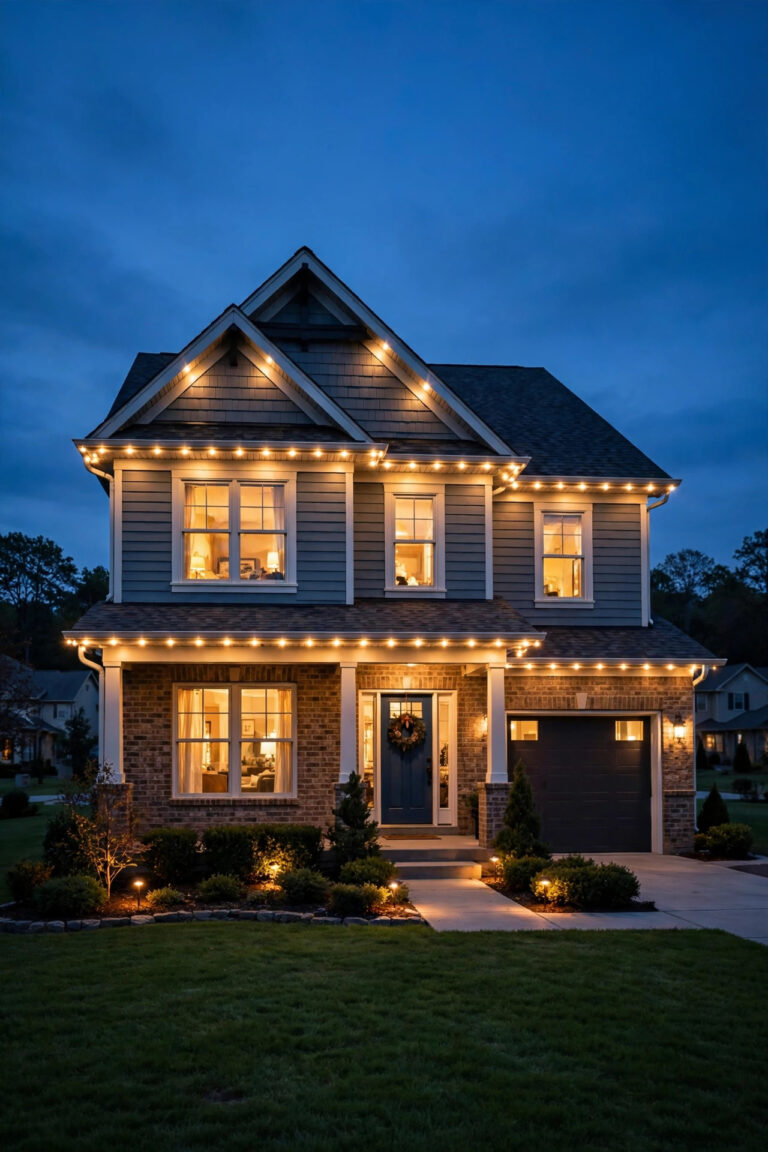
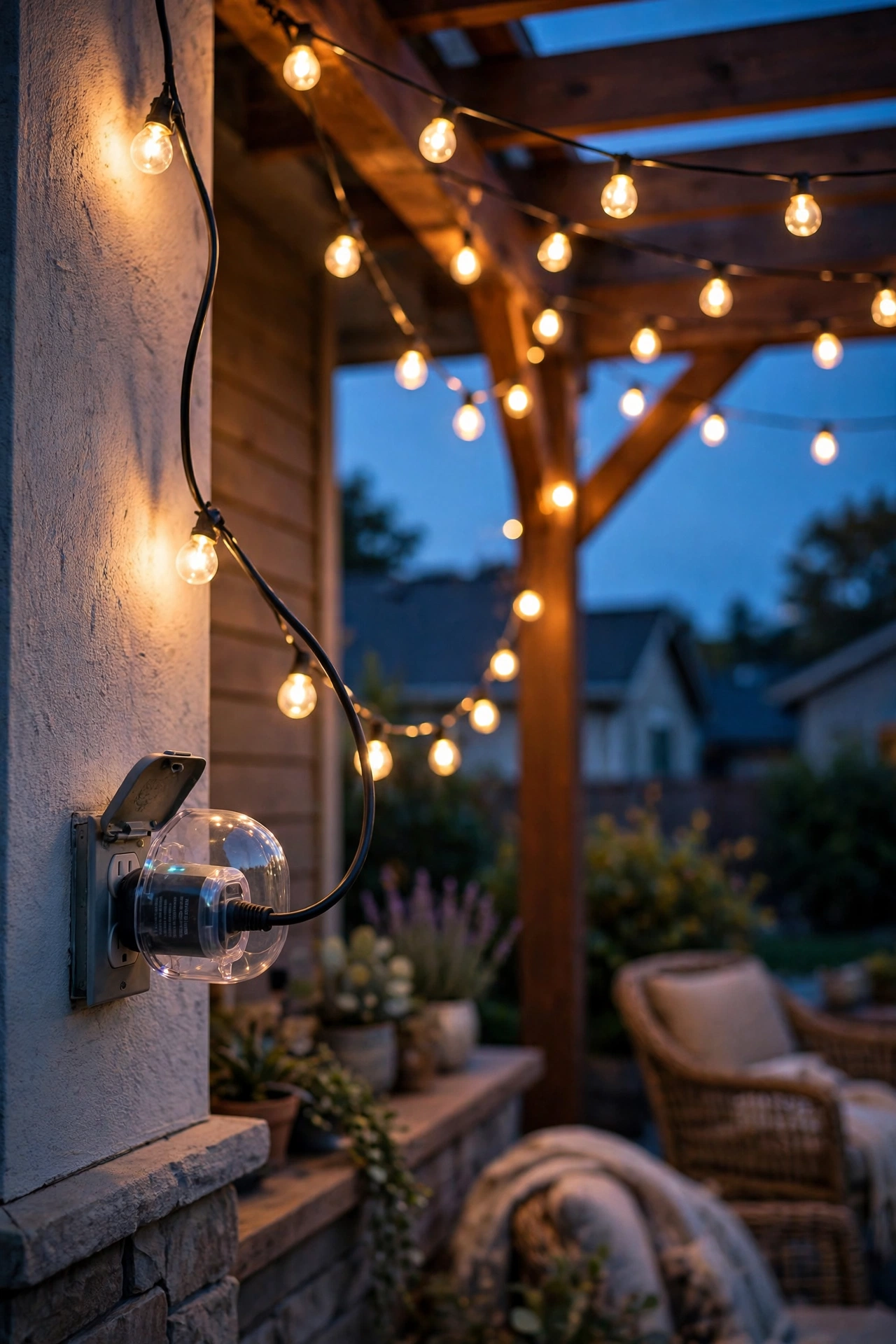
For years, my holiday light ritual involved a flimsy indoor timer balanced on a windowsill and a prayer that the rain held off. Then I discovered the best outdoor smart plug for lights — a weatherproof little box by the outlet that turns my string lights on at sunset and lets me flip everything on from the couch. Honestly? It changed how I think about exterior lighting more than any fixture I've ever bought.
Here's the thing: the lights themselves are only half the magic. The other half is *control* — lights that come on exactly when the sky goes dark and shut off before the electric bill gets scary. A good outdoor plug or timer gives you that automation for about the price of a pizza, and in my experience it's the highest-value upgrade a lighting lover can make.
In this guide, I'll walk you through how these gadgets work, compare the 7 best categories of outdoor smart plugs and timers, break down 2026 costs, show you the 30-minute setup, and flag the mistakes and electrical safety rules you need to know. By the end, you'll know which type to buy for your porch, patio, or holiday display.
The Short Answer
If you just want the verdict: for most people, a Wi-Fi outdoor smart plug with dual outlets is the best outdoor smart plug for lights. No hub needed, app scheduling with sunrise/sunset triggers, individual outlet control, and a rugged weatherproof housing — it handles string lights, pathway stakes, and inflatable decorations beautifully for around $25–$40. If you're running landscape lighting off a low-voltage transformer, grab a smart transformer plug instead. And if you'd rather have zero apps and zero Wi-Fi drama, a mechanical dusk-to-dawn timer (about $15–$25) has been reliably clicking on porch lights since before smartphones existed. Match the type to your setup below.

How Outdoor Smart Plugs and Timers Actually Work
Every device in this guide does one job: it sits between your outdoor outlet and your lights, deciding when electricity flows. That's it. But *how* it decides is where the differences live.
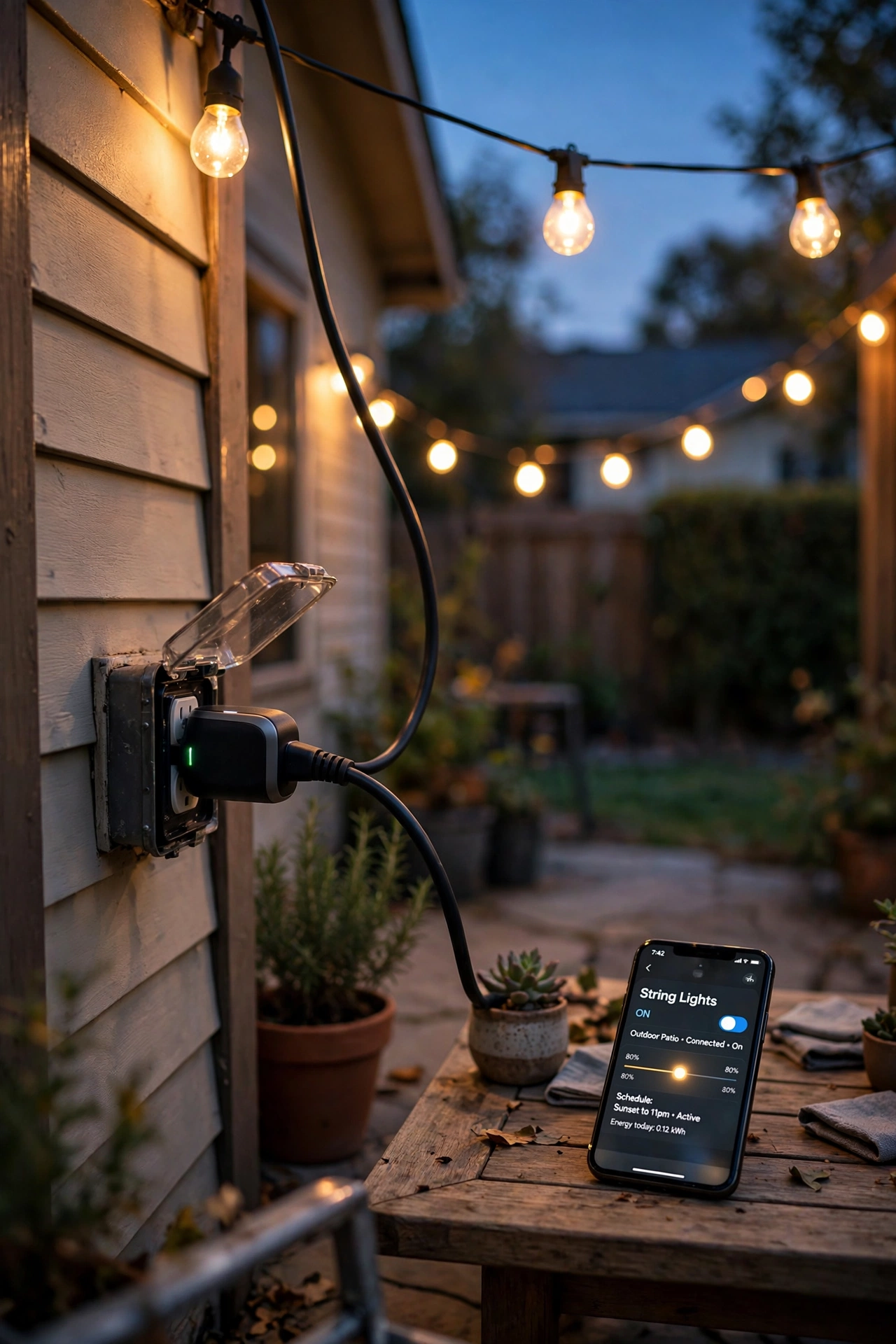
Smart plugs connect to your home network (usually Wi-Fi, sometimes Zigbee or Z-Wave through a hub) and take orders from an app on your phone. You tell them "on at sunset, off at 11 pm" and they handle the rest — automatically adjusting for the time of year, since sunset in December is a far cry from sunset in June. Many also work with voice assistants, so "lights on" becomes a spoken sentence instead of a trip outside in slippers. In my experience, the sunset/sunrise scheduling is the feature you'll love most; it's the one that makes your house look like it has a live-in lighting designer.
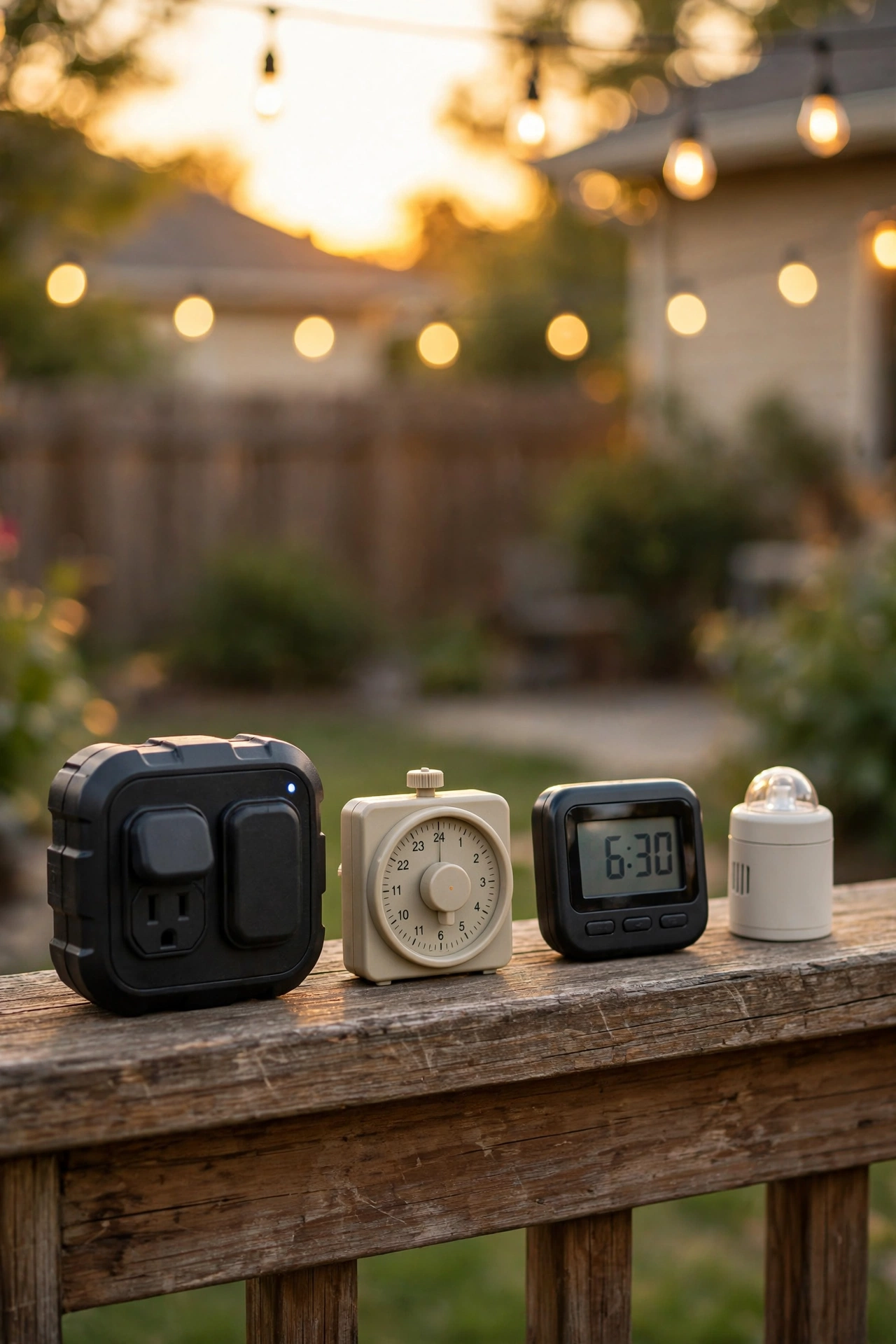
Traditional timers need no network at all. Mechanical timers use little pins or dials you push in to mark on/off periods — wonderfully tactile, gloriously simple. Digital timers are programmable with buttons and a screen. Photocell (dusk-to-dawn) models have a small light sensor that detects darkness and switches on automatically, no schedule needed. These are the set-it-and-forget-it champions, and they'll keep working through internet outages and dead phones.
One more critical thing: outdoor is doing heavy lifting in all of this. Outdoor-rated plugs and timers have sealed, weatherproof housings built to shrug off rain, snow, and sun. An indoor plug shoved into an exterior outlet under an overhang is a fire and shock hazard waiting to happen — and I'll never recommend it. Look for housings rated IP44 or higher (I'll decode those ratings in the buying section below), and always pair your setup with an in-use outlet cover that shields the whole connection from weather even while cords are plugged in.
The 7 Best Options, Compared
Here are the seven categories worth your money, from the most versatile to the most old-school reliable. I've organized them by what they actually are — no brand names, no hype, just what works for real backyards.
1. Wi-Fi Smart Plug with Dual Outlets
The crowd favorite, and for good reason. Two independently controlled outlets in one weatherproof housing, a free app, and schedules that follow the sun. Plug your porch string lights into one side and your pathway stakes into the other, and run them on totally different schedules. Most handle 15 amps total, which covers several hundred feet of LED string lights with room to spare. The only real requirement is decent Wi-Fi reaching the spot — if your signal dies at the back fence, this isn't your pick. Setup takes about ten minutes and the app genuinely walks you through it.
2. Wi-Fi Smart Plug with a Single Heavy-Duty Outlet
Think of this as the muscular cousin of option one. One outlet, but built for bigger loads — think a full roofline of incandescent holiday lights or several lighted yard figures that draw real wattage. Same app control and sunset scheduling, with a housing that's usually beefier and more weather-sealed. It's my pick when one big display item needs its own dedicated, remotely controlled circuit. Slightly pricier than the dual-outlet version, but the extra headroom is worth it if you're pushing past the usual LED loads.
3. Zigbee/Z-Wave Smart Plug with Hub
No Wi-Fi reaching the garden? No problem. These plugs speak to a small hub inside your house using low-power mesh protocols, which means they work at ranges Wi-Fi can't touch and keep your home network uncongested. The trade-off is needing the hub (some voice-assistant speakers have one built in), and setup has one extra pairing step. In my experience, once they're running they're the most reliable of the smart options — mesh networks are wonderfully stubborn about staying connected. Ideal for larger properties, detached garages, and garden sheds.
4. Mechanical Dusk-to-Dawn Photocell Timer
The grandparent of outdoor automation and still, honestly, a beautiful piece of engineering. A sensor watches the ambient light; when it gets dark enough, your lights click on, and they switch off at dawn. No app, no Wi-Fi, no batteries, no schedule to maintain — it self-adjusts through the whole year automatically. I always recommend these for fixtures you want lit *all* night: entryway sconces, security-adjacent pathway lights, that lantern by the front door. They're cheap, nearly indestructible, and work in a power outage's aftermath the moment power returns.
5. Digital Programmable Outdoor Timer
For the control-minded who still don't want an app. These have a small screen and buttons for programming up to several on/off events per day, with many models including an astronomical (sunset/sunrise) mode based on your zip code. Battery backup keeps your schedule through power outages — a genuinely underrated feature during storm season. This is what I suggest for holiday displays with complex timing needs: inflatables that should only run during "wow hours," projector shows that stop at midnight, that sort of thing.
6. Smart Plug for Low-Voltage Landscape Transformers
If your yard lighting runs off a 12-volt transformer (path lights, well lights, uplights), this is your category. It sits between the wall outlet and the transformer, switching the whole low-voltage system on and off on a schedule or from your phone. It turns an "always on at the same dumb time" landscape system into a properly automated one — different weekend hours, vacation modes, instant off when you're done with the patio. Just confirm your transformer's wattage fits within the plug's rating, because undersizing here is the number-one cause of flaky landscape lighting.
7. Heavy-Duty Mechanical Timer with In-Use Cover Combo
The budget workhorse bundle: a simple pin-style mechanical timer paired with a proper bubble-style in-use weather cover. No smarts whatsoever — just a dial that clicks your lights on and off at the same times every day, protected from the elements. It costs less than a takeout dinner and will run for a decade. I recommend it as a first step for renters, for a single strand of patio lights, or for anyone who looks at app-based everything and sighs. Simple is a feature, not a flaw.
Quick Comparison Table
| Type | Price Range | Connectivity | Best For |
|---|---|---|---|
| Wi-Fi dual-outlet smart plug | $25–$40 | Wi-Fi + app | String lights + pathway stakes on separate schedules |
| Wi-Fi single heavy-duty smart plug | $30–$50 | Wi-Fi + app | Big holiday displays, high-wattage loads |
| Zigbee/Z-Wave plug with hub | $25–$45 (+ hub) | Mesh hub + app | Large properties, weak Wi-Fi areas |
| Mechanical dusk-to-dawn photocell timer | $12–$25 | None (automatic) | All-night entryway and security lighting |
| Digital programmable timer | $18–$35 | None (buttons/screen) | Complex holiday display timing |
| Smart plug for low-voltage transformers | $25–$45 | Wi-Fi + app | 12V landscape lighting systems |
| Mechanical timer + in-use cover combo | $15–$25 | None | Renters, single strands, app-free simplicity |
What to Look For Before You Buy
Shopping for the best outdoor smart plug for lights gets much easier once you know which four specs actually matter — and which marketing noise to ignore.
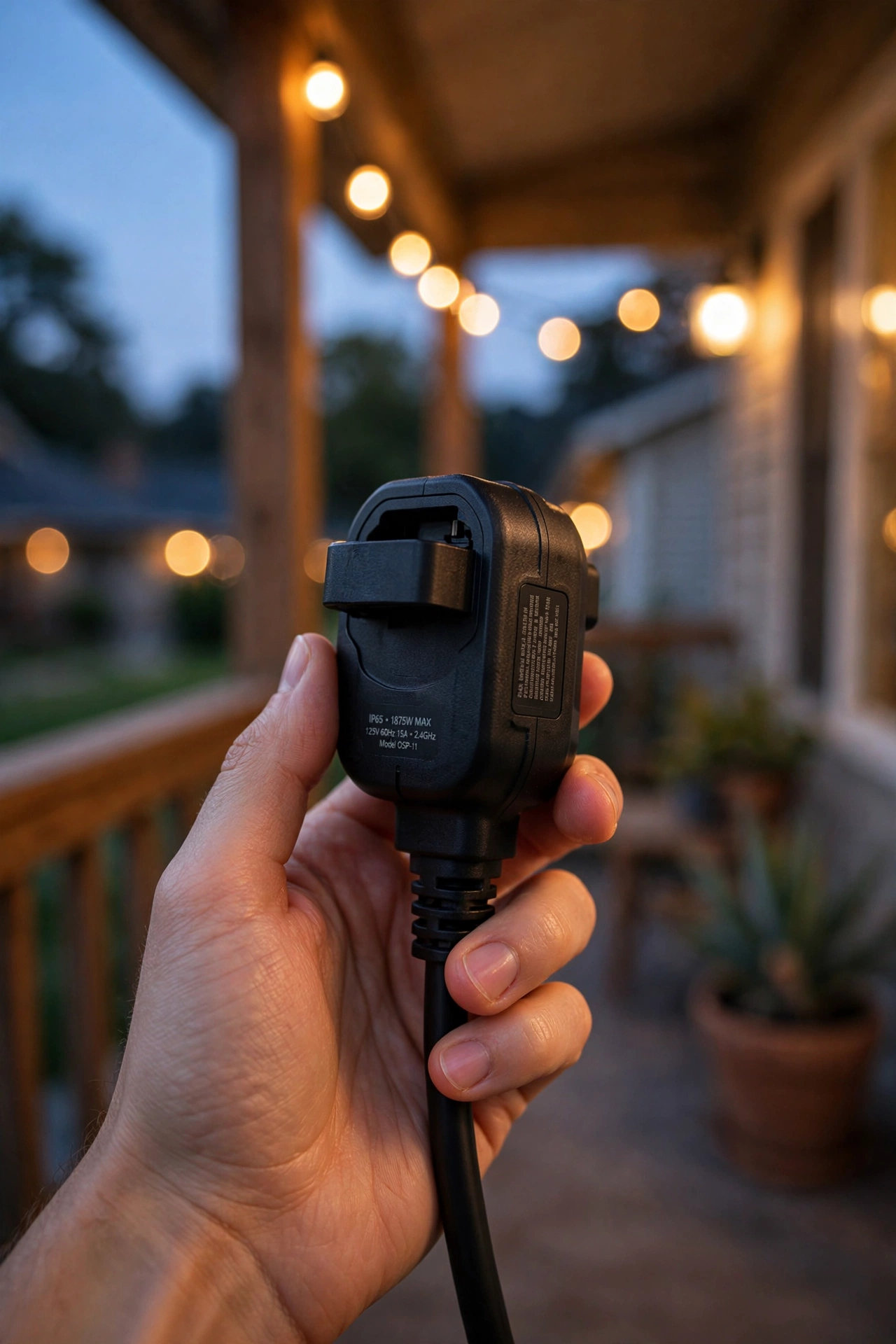
Wattage (or amperage) rating. This is the safety-critical number. Most outdoor plugs handle 15 amps (1,875 watts at 120V), which is plenty for LED lighting — a whole yard of LEDs barely sips a few hundred watts. But if you're running older incandescent holiday lights or motorized decorations, add up the wattage printed on every tag and keep it under 80% of the plug's rating. In my experience, undersizing is the single most common cause of warm plugs and tripped breakers.
Weatherproof rating (IP codes). IP stands for Ingress Protection. IP44 means protected against solid objects over 1mm and splashing water from any direction — the minimum I'd accept outdoors. IP55 or IP65 adds dust and jet-spray protection, worth it if the plug sits unprotected on a fence post or near a sprinkler. Don't confuse the plug's rating with your outlet's cover, though: the plug needs its own rating *and* a weatherproof in-use cover over the outlet.
App vs. no-app. Ask yourself honestly how much fiddling you enjoy. App-based plugs give you remote control, vacation modes, and voice commands — magical when you're traveling or already in bed. No-app timers give you set-it-once reliability and zero accounts to manage. Neither is better in the abstract; the right answer is the one you'll actually keep using. My rule: if you love tweaking, go smart; if you want to think about it exactly once, go mechanical or photocell.
Scheduling features that matter. For smart plugs, confirm sunrise/sunset scheduling (not just fixed times), individual outlet control on multi-outlet models, and a "random/away" vacation mode. For digital timers, look for astronomical mode and battery backup. For photocells, check the sensor's sensitivity — cheap ones can be fooled by a nearby porch light into flickering on and off. Read reviews specifically for the word "flicker" before buying a photocell model.
What It Costs in 2026
Here's the honest math: automating your outdoor lighting is one of the cheapest upgrades in the entire exterior-decor world.
The devices themselves. A basic mechanical timer or photocell timer runs $12–$25. Digital programmable timers sit at $18–$35. Wi-Fi smart plugs land between $25–$50 depending on single vs. dual outlets and build quality. Zigbee/Z-Wave plugs run $25–$45 plus a hub ($30–$60) if you don't already own one. A smart plug for your low-voltage transformer is $25–$45. The in-use weatherproof outlet cover every setup needs costs $10–$20. All in, a typical single-zone setup — one smart plug plus a cover — lands around $35–$60 total. A fully automated yard with three zones? Roughly $100–$150.
The electricity savings. This is where timers quietly pay for themselves. A strand of old incandescent holiday lights (say 500 watts) running 12 hours a night costs roughly $1.80 per night at 25 cents per kWh — over $50 a month. A timer cutting that to 5 hours saves you around $30 a month. With LEDs (a 500-LED strand uses maybe 30–40 watts), the savings are pennies, but the convenience is the whole point. Either way, automatic shutoff means you're never accidentally lighting the yard at 3 a.m. for the raccoons.
What I'd budget. If you're buying your first one today: $40–$60 for a quality Wi-Fi smart plug setup, or $20–$30 to go app-free with a mechanical timer and cover. Start with one zone, fall in love with it, then expand — that's exactly how I ended up automating my entire yard one plug at a time.

Setup Steps: From Box to Glowing Lights in 30 Minutes
Setting up the best outdoor smart plug for lights is genuinely a half-hour job — most of that is deciding where things go, not the technical work. Here's the process I walk friends through.
Step 1: Pick your outlet. Choose an outdoor receptacle close to your lights, ideally one protected by a GFCI breaker (more on that below — it's non-negotiable). If the outlet isn't GFCI-protected, plan to swap the cover and outlet or call an electrician; don't skip this.
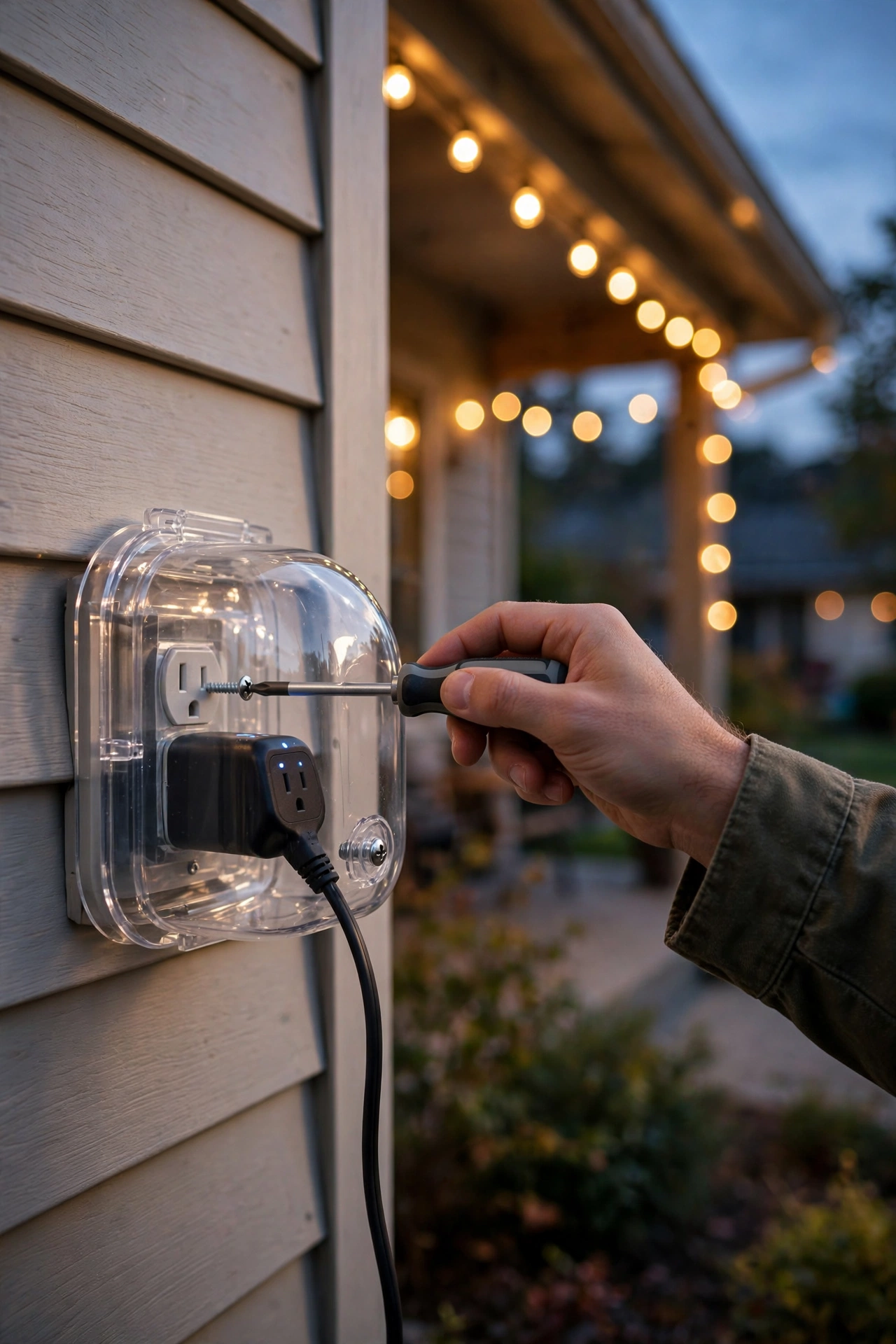
Step 2: Install the in-use cover. Pop off the old flat cover and mount a bubble-style weatherproof in-use cover over the outlet. This is the dome that lets cords stay plugged in while staying dry. Five screws, ten minutes, and it's the single most important weatherproofing step in this whole guide.
Step 3: Plug in and pair (smart models). Plug the smart plug into the outlet, download the app, and follow the pairing prompts. Keep your phone within a few feet during pairing, and make sure you're connecting to your 2.4 GHz Wi-Fi band — nearly all smart plugs can't see 5 GHz networks, and this is the number-one setup stumbling block. If pairing fails twice, temporarily move closer to your router to pair, then relocate the plug; the connection usually holds fine once established.
Step 4: Set your schedule. For lighting, I recommend starting with "on at sunset, off at 11 pm" — it looks natural and keeps the electric bill friendly. Multi-outlet models: configure each outlet separately. Digital timers: enter your zip code for astronomical mode if available. Photocells: just aim the sensor away from your own lights so it reads the sky, not your glow.
Step 5: Load and test. Plug your lights in, add up the wattage to confirm you're within the rating, and run a manual on/off test. Then walk away and let the schedule do its thing — check at dusk that everything fires. In my experience, the first automated sunset is a small, genuine delight. Savor it.
7 Mistakes to Avoid
I've made nearly all of these myself over the years, so learn from my soggy, flickering, tripped-breaker past.
1. Using an indoor plug outside. Indoor smart plugs have zero weather sealing. One rainstorm and you're risking a short, a tripped breaker, or worse. Only outdoor-rated devices, always.
2. Skipping the in-use cover. The plug can be IP65-rated and it still won't save a connection drowning inside a flat, closed cover with cords jammed through it. The bubble cover is mandatory, not optional.
3. Ignoring the wattage rating. Daisy-chaining five strands of incandescent icicle lights into a 10-amp plug is how plugs melt. Add up the watts, stay under 80% of the rating, and when in doubt, split the load across two plugs.
4. Pairing on the wrong Wi-Fi band. As mentioned: smart plugs overwhelmingly need 2.4 GHz. If your phone auto-joined 5 GHz during setup, pairing will fail mysteriously every time. This single issue probably accounts for half of all one-star "wouldn't connect" reviews.
5. Pointing a photocell sensor at your own lights. A dusk-to-dawn sensor that can "see" your lit fixtures will think it's daytime and switch them off — then see darkness and switch them back on. Flicker city. Aim the sensor at open sky.
6. Forgetting about the off time. Lights blazing until dawn waste electricity and wash out the night sky. Sunset-to-11pm is the sweet spot for most homes; all-night lighting should be limited to genuine security fixtures.
7. Burying the plug where you can't reach it. Tucking the plug behind the shrubbery looks tidy until you need to hit the manual override button or unplug it in a storm. Keep it accessible — inside the weatherproof cover, but reachable.

Safety and Electrical Basics
I love a glowing yard, but electricity plus water demands respect. These are the non-negotiables — the stuff I wish someone had told me before my first setup.
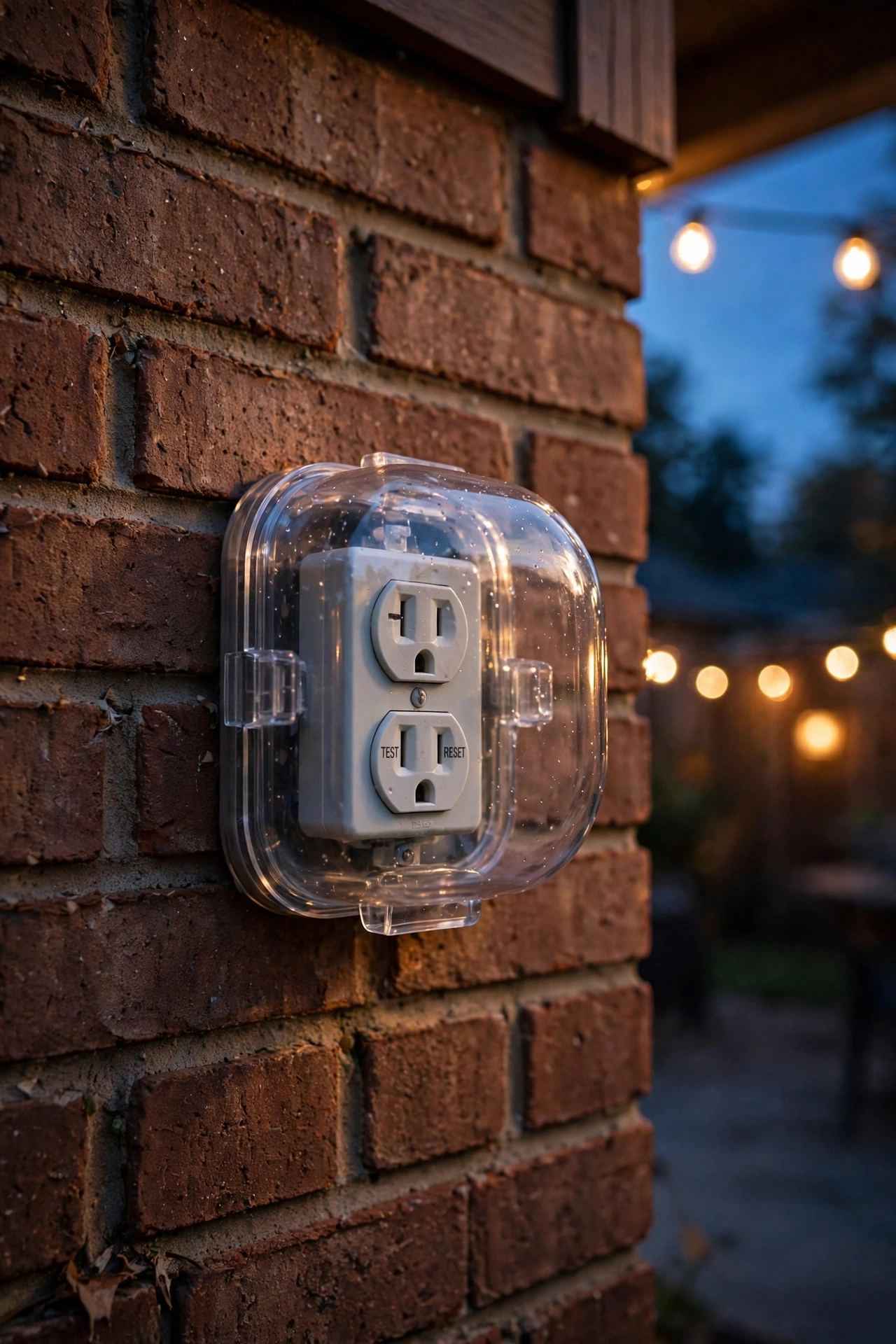
GFCI protection is mandatory. Every outdoor outlet should be GFCI-protected — that's the outlet (or breaker) with the little test/reset buttons that cuts power in milliseconds if current leaks somewhere it shouldn't, like through water or a person. If your outdoor outlets predate GFCI, have an electrician upgrade them before plugging anything in. This is the single most important safety item in outdoor lighting, full stop.
In-use covers, always. A "weatherproof" outlet with a flat cover is only weatherproof when nothing is plugged in — which defeats the purpose. Code in most US jurisdictions now requires in-use (bubble) covers on outdoor receptacles, and they're $10–$20 of pure peace of mind.
Respect wattage limits. Stay under 80% of the plug's rated wattage as a continuous load. Extension cords: use only outdoor-rated cords, keep runs as short as possible, and never daisy-chain multiple cords together. Cords should run above ground where you can see them — buried cords get nicked by shovels and lawnmowers, and that's a hazard you won't notice until it matters.
LEDs are your friend. Beyond the energy savings, LEDs run cool. Near dry mulch, wooden deck rails, or autumn leaves, that cool operation is a genuine fire-safety advantage over hot incandescent bulbs. If you're still running incandescents, a smart plug with a timer is doing double duty as a fire-prevention device by limiting burn hours.
When to call an electrician. If you need a new outdoor outlet run, if your breaker trips repeatedly, if anything smells hot or looks scorched, or if you're unsure whether your outlets are GFCI-protected — call a pro. A service call costs far less than the alternative, and there's zero shame in it. I've called mine twice, and I'd do it again in a heartbeat.
Frequently Asked Questions
Will an outdoor smart plug work if my Wi-Fi doesn't reach the yard?
Only if the plug can actually see your network — and this is worth testing before you buy. Stand where the plug will live and check your phone's Wi-Fi signal. If it's weak or dead, you have three good options: a Zigbee/Z-Wave plug with an indoor hub (my top pick for dead zones), a Wi-Fi range extender rated for the distance, or skipping smart entirely for a photocell or digital timer that needs no network at all.
Can I leave an outdoor smart plug plugged in all winter?
Yes — that's exactly what the weatherproof housing is for. Quality outdoor plugs are rated for freezing temperatures, snow, and ice. The one caveat: in extreme cold (well below zero), some smart plugs can get sluggish about reconnecting after a power blip, so a mid-winter check that your schedule is still running is smart. Mechanical timers, of course, don't care about the cold at all.
How many string lights can I plug into one outdoor smart plug?
It depends on wattage, not length. Most 15-amp plugs handle 1,875 watts, and you should stay under about 1,500 for continuous use. LED string lights are featherweights — a typical 50-foot LED strand uses 5–10 watts, so you could theoretically run dozens. With old incandescents at 20–40 watts per strand, the math gets tight fast. Always read the wattage tag on each strand and add them up; the plug doesn't care how pretty the lights are, only how much power they draw.
Do I need a hub for an outdoor smart plug?
For Wi-Fi plugs: no hub, just your router and a phone app. For Zigbee or Z-Wave plugs: yes, you need a compatible hub (many smart speakers have one built in — check yours). For mechanical, digital, and photocell timers: no hub, no app, no phone — just the device itself. If the words "hub" and "pairing" make your eyes glaze over, the no-app options are calling your name.
What's the difference between a smart plug and a smart switch for outdoor lights?
A smart plug controls whatever is plugged into an outlet — string lights, inflatables, plug-in lanterns. A smart switch replaces a wired wall switch and controls hardwired fixtures like porch sconces and floodlights. Different jobs, different devices. If your lights plug in, you want a plug (or timer). If they're wired into the house, you want a switch — and that's usually electrician territory.

Conclusion
Choosing the best outdoor smart plug for lights really comes down to one question: how much control do you want? If the answer is "all of it, from my couch" — get the Wi-Fi dual-outlet smart plug. If it's "just turn them on at dark and off at bedtime without me thinking about it" — a photocell or mechanical timer will make you just as happy for half the price. Either way, pair it with a proper in-use cover, respect the wattage rating, and make sure that outlet is GFCI-protected. Do those three things and you'll get years of that magical moment when the sun dips and your whole yard just… glows, all by itself.
If this got your wheels turning, browse more of our lighting ideas — from dusk-to-dawn fixtures that pair beautifully with photocell timers to holiday displays begging for smart scheduling — and start planning which corner of your yard gets automated first.