The driveway is where every evening at home begins, and for years mine began in the dark: headlights sweeping a black apron, a garage door I could barely make out, and a walk to the front door lit by my phone flashlight. Smart driveway lighting ideas changed that completely. Now a sensor notices my car before I reach the apron, the edge lights rise to a warm welcome, and my phone quietly confirms the garage is lit and clear. The trick is the same layering I use everywhere outdoors: low guidance light along the edges, a welcoming layer at the garage and door, and an accent layer on the trees and pillars near the street. Smart controls simply run those layers for you — alerts when something moves, schedules that follow the sunset, and scenes that greet guests while your hands stay on the wheel. In this list I will walk you through nineteen ways to build that system, from a single driveway sensor to a full arrival routine, with honest budgets for every piece so you can start small and grow it over time.
1. Layer Your Smart Driveway Lighting Ideas Into Three Zones
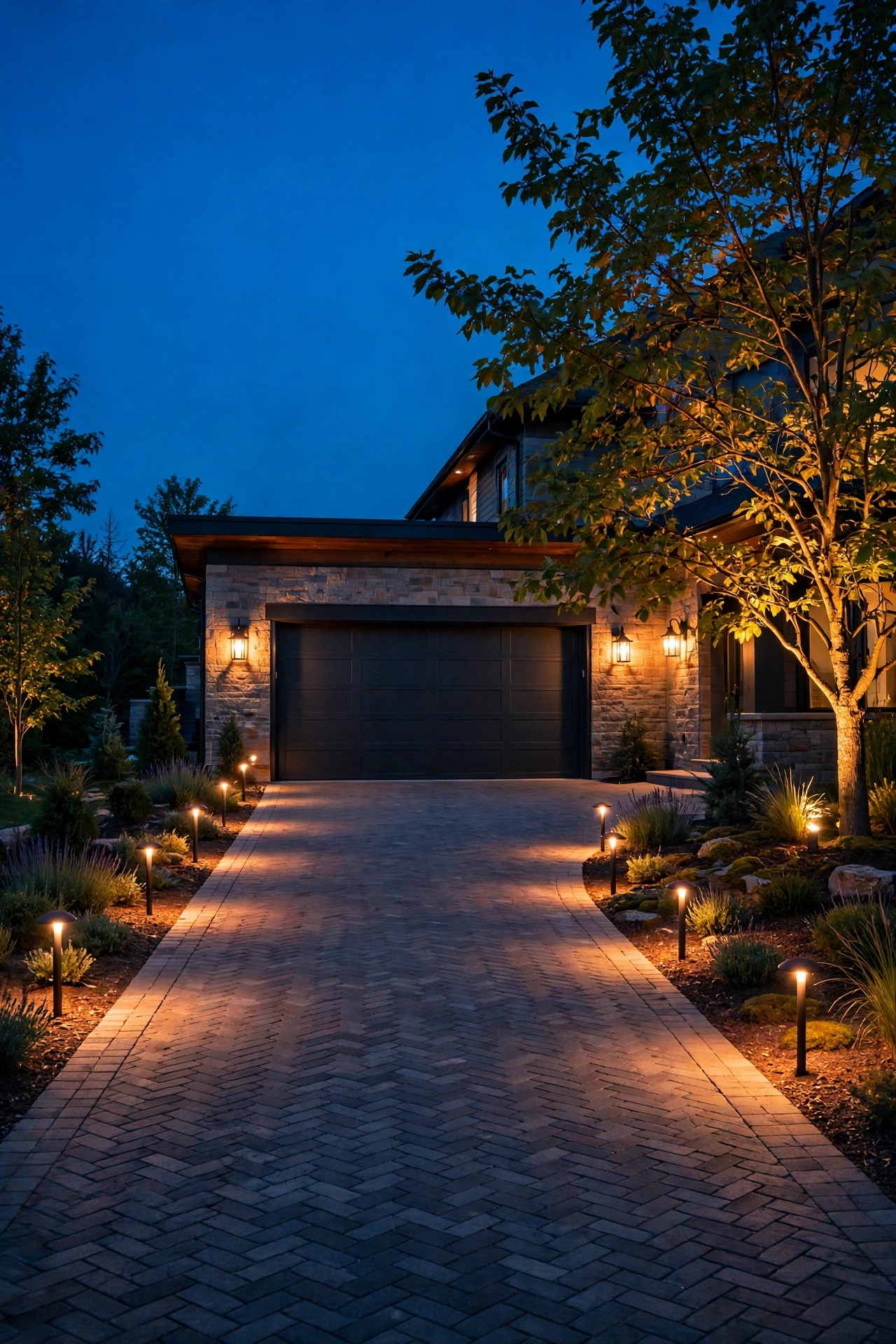
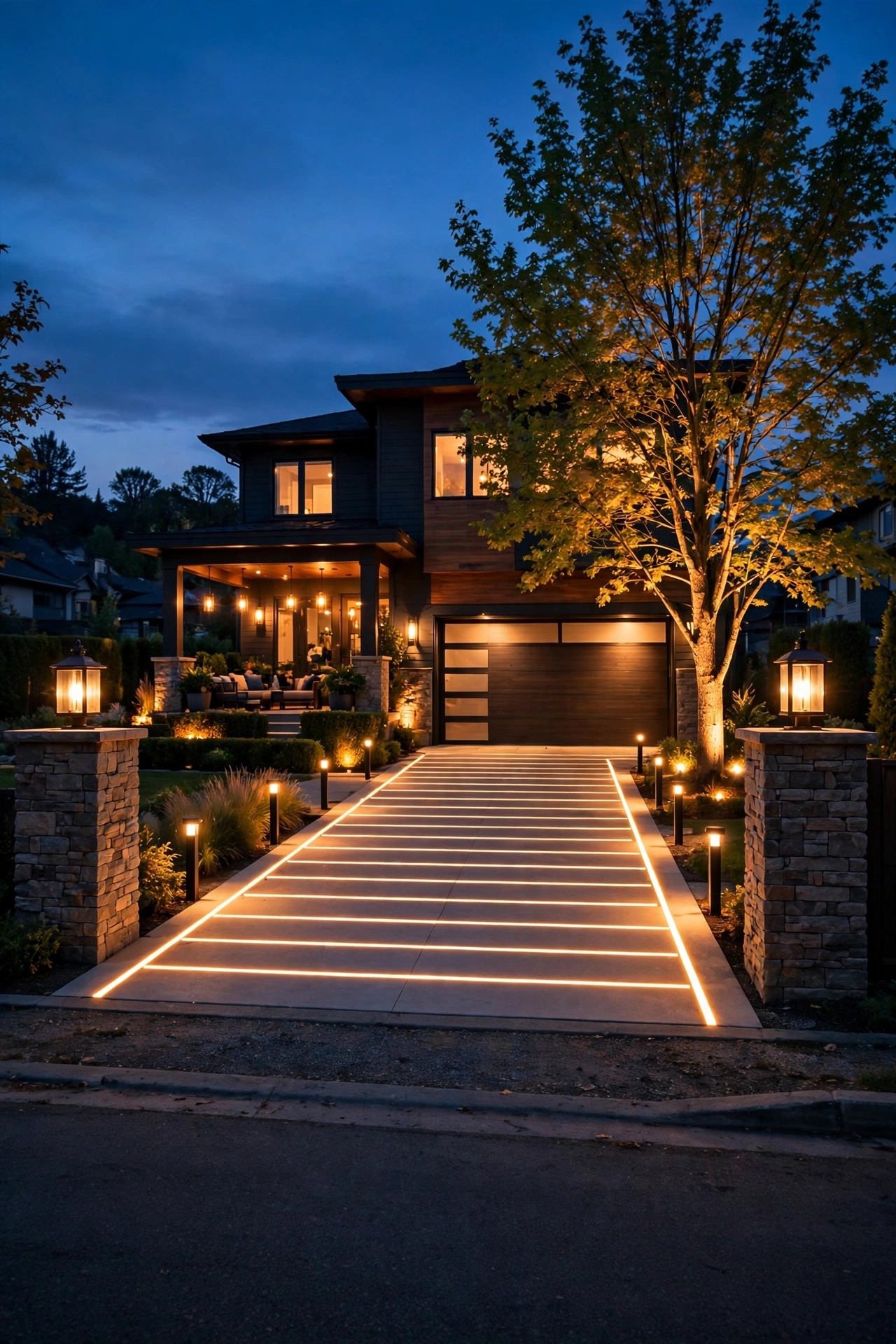
Every good driveway plan I have ever installed divides into three zones, and smart controls make the most sense when each zone can run on its own. The entrance zone is what the street sees: a lit pillar, an uplighted tree, maybe a pair of markers where the drive meets the road. The lane zone is pure guidance: low lights tracing both edges so tires and feet stay where they belong. The apron zone is the welcome: floodlights and coach lights around the garage and the walk to the door. Wire or group each zone separately — three runs off a smart transformer, or three groups in your app — and the automation gets beautifully simple: the lane idles low, the apron brightens on arrival, the entrance glows on a schedule. Sizing counts here: total up the wattage per zone and keep each run under 80 percent of its transformer tap so the far lights stay as bright as the near ones. My guide to classic driveway lighting ideas covers the layouts themselves; this post is about making those layouts think.
Suggested budget range: $150 – $600.

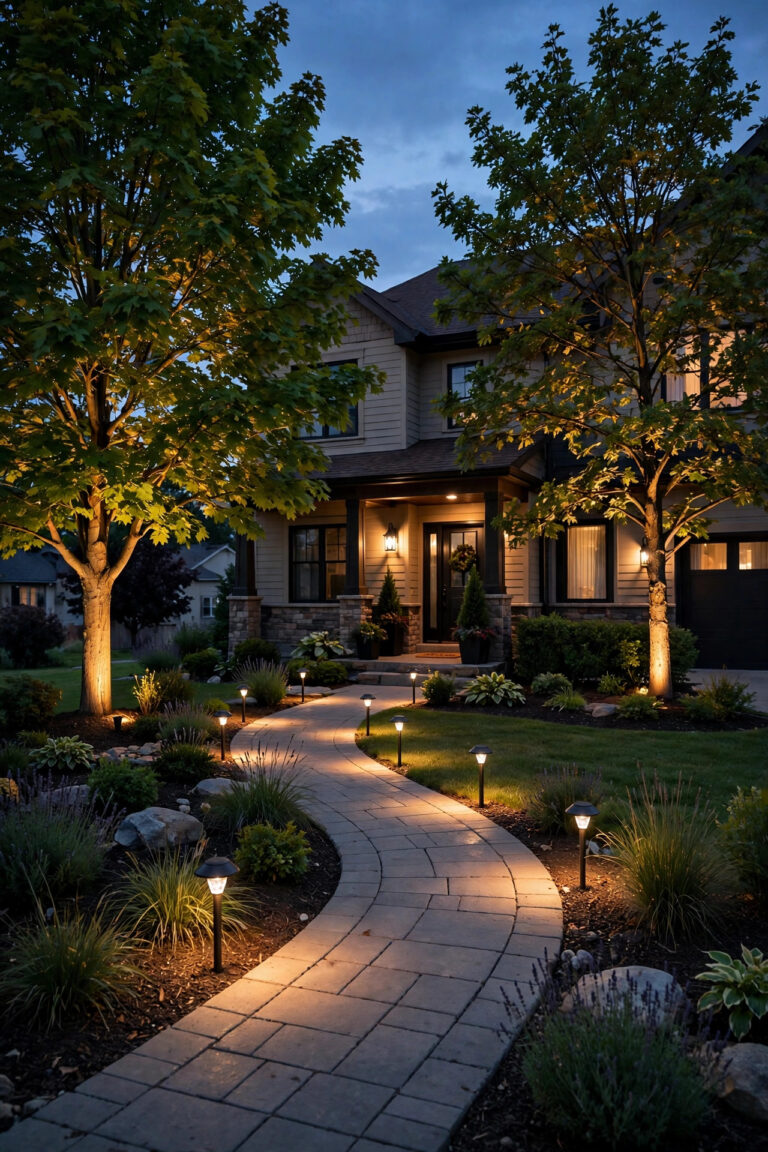
2. Add a Driveway Sensor That Alerts Your Phone
This is the piece that makes the whole system feel intelligent. A vehicle sensor — either a magnetic probe buried a few inches beside the drive or a beam sensor mounted on a post at the entrance — detects a car rolling in and sends an alert to your phone before the headlights reach the garage. I always recommend the probe style for long driveways, because it responds to metal vehicles and ignores the deer, dogs, and blowing leaves that trigger ordinary motion sensors all night. Wireless versions reach several hundred feet from sensor to receiver, which covers most suburban and rural lots. Place the probe parallel to the drive, about a foot from the edge, where cars pass at their slowest. In the app, set alerts for the hours you actually care about — mine stay live until midnight, then the sensor switches to lights-only mode so arrivals still get light without waking the house. One sensor at the street end is enough for most homes; a second near the garage tells the system whether someone is arriving or leaving.
Suggested budget range: $120 – $350.

3. Mount Motion-Activated Smart Floodlights Over the Garage
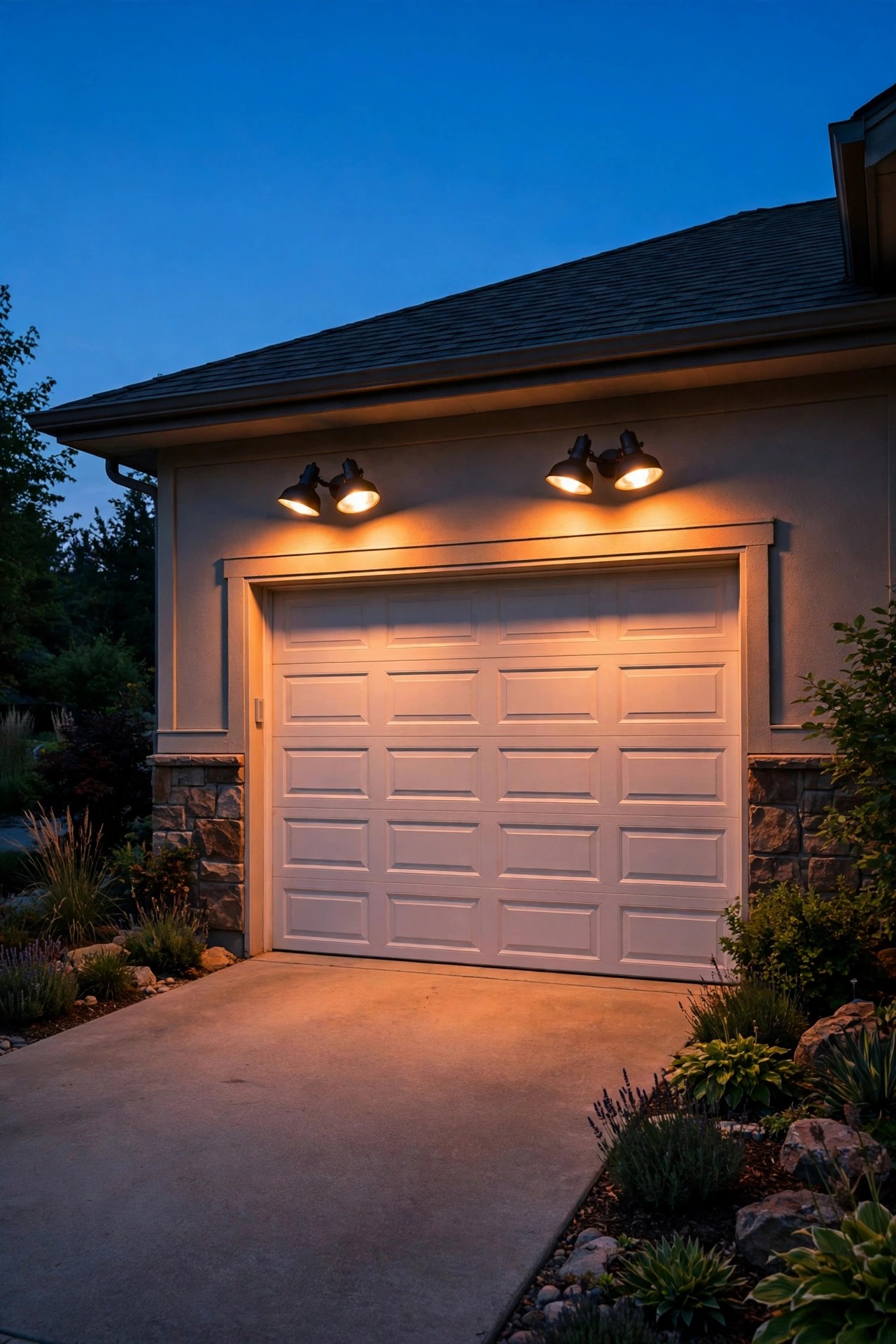
The apron is where light needs to arrive fast and bright, and a pair of smart floodlights over the garage door is the hardest-working fixture on this list. Look for dual-head LED models with adjustable sensitivity, a timer you can set anywhere from ten seconds to ten minutes, and an app connection so the same motion event that fires the lights also sends you a notification. Aim the heads down at roughly 45 degrees so the beam pools on the apron instead of blasting the street — your neighbors and every passing driver will thank you. Mounting height counts: 8 to 10 feet gives good coverage without blinding glare at eye level. Hardwired models tie into a junction box on a GFCI-protected circuit, and anything mounted outside the eave line needs a true wet-location rating. My motion sensor outdoor lights guide walks through sensitivity tuning in detail. Set the lights to idle at a soft 20 percent glow and jump to full only on motion, and the apron feels guarded without looking like a stadium.
Suggested budget range: $80 – $250.
4. Line Both Edges With App-Controlled Low-Voltage Path Lights
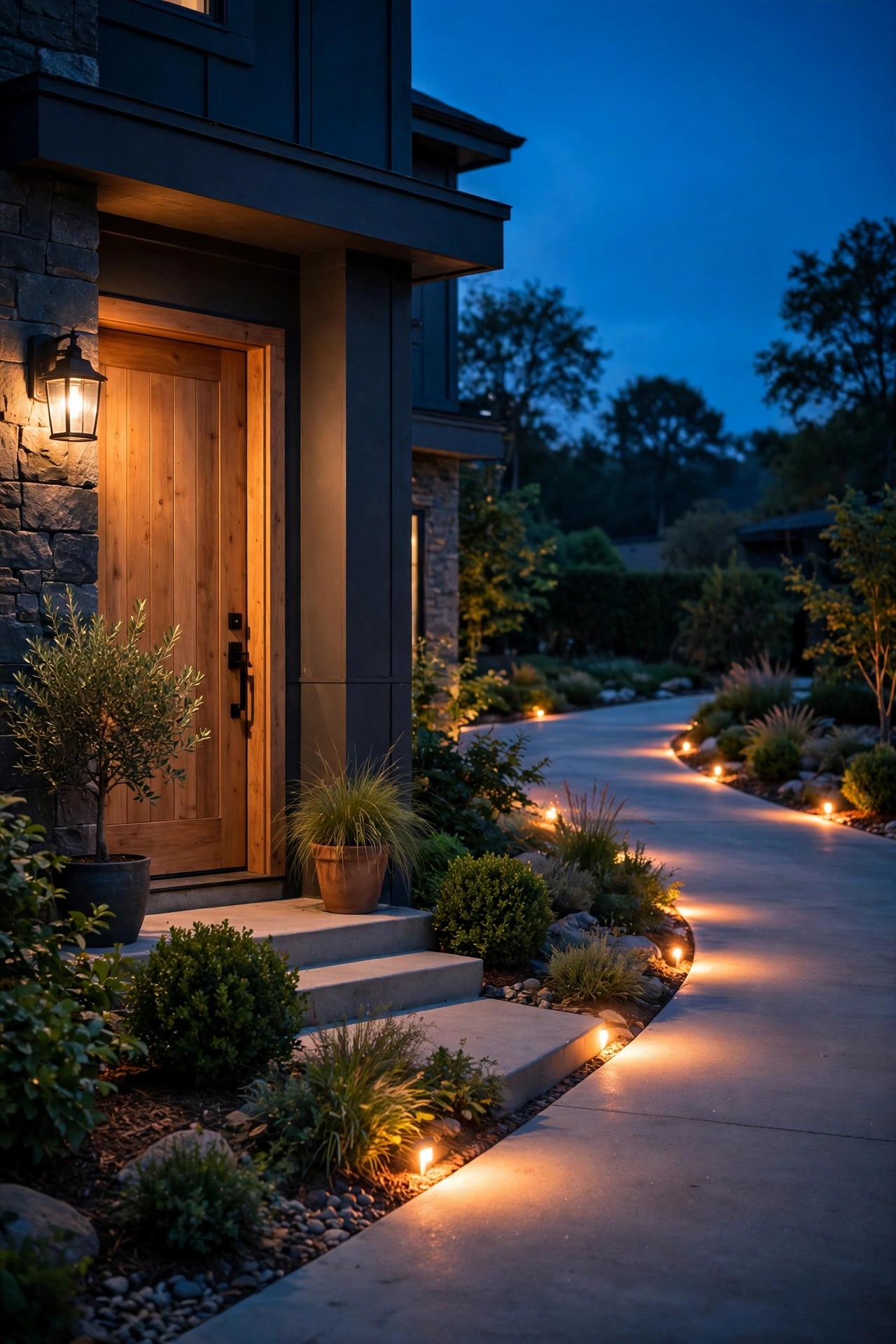
If the floodlights are the muscle, the edge lights are the manners. A staggered row of low-voltage path lights down both sides of the lane turns a dark ribbon of asphalt into a guided approach, and running them off a smart transformer puts the whole row on your phone. Space fixtures 8 to 10 feet apart, alternating sides rather than marching in pairs, so the pools of light overlap gently and the drive reads as a path instead of a runway. Keep the fixtures low — 12 to 18 inches — with shielded tops that throw light down onto the pavement where it helps. In the app, create the lane as its own zone with two behaviors: a calm 40 percent glow from sunset to bedtime, and a rise to full brightness for two minutes whenever the driveway sensor or the floodlights report motion. That single routine is the one guests comment on most; the driveway literally lights their way in. Bury cable at least 6 inches deep, and use gel-filled waterproof connectors at every fixture, because the edge of a driveway is the wettest real estate in the yard.
Suggested budget range: $200 – $700.

5. Mark the Lane With Smart Bollards
Bollards are the tailored suit of driveway lighting: short posts, usually 18 to 30 inches tall, with the light source tucked under a cap so the glow washes down and out in a tidy circle. On a smart system they earn their keep on curves and wide aprons, the exact places where guests drift toward the lawn. I space them 10 to 12 feet apart on straights and closer — 6 to 8 feet — through a bend, always set back at least a foot from the pavement edge so mirrors and snow shovels clear them. Wired smart bollards join your low-voltage zones; solar smart versions pair to an app and work where trenching is impractical, though they run dimmer in midwinter. Choose solid metal housings with replaceable LED modules, because bollards live in the splash zone of every tire and mower. Run them in the same lane zone as your path lights, and let the arrival routine bring them up a breath before the apron floods, so the eye travels from street to garage in one smooth wave.
Suggested budget range: $150 – $600.

6. Choose a Floodlight With a Built-In Camera for Eyes and Light
When one fixture needs to do two jobs, a floodlight with a built-in camera is the honest answer for the garage wall. You get the same bright, motion-triggered wash as a standard smart flood, plus a live view of the apron in the same app that controls the rest of your lights — handy for checking whether that noise was a delivery, a raccoon, or your teenager sneaking in past curfew. Position it high enough to see the whole apron, usually 9 to 10 feet, and angle the camera so the frame covers your own pavement and garage door, not the street or a neighbor's windows; privacy starts with where you point the thing. In the app, draw motion zones over the driveway only, and the alerts stay meaningful instead of chirping at every passing car. Two-way talk through the fixture is genuinely useful for greeting a driver or directing a guest to park. Keep the light itself on the same rules as your other floods: warm white, aimed down, and tied into the arrival routine rather than blazing on its own schedule.
Suggested budget range: $150 – $400.

7. Set an Arrival Automation That Lights Your Way In
This is the routine that sells people on smart lighting forever. An arrival automation uses a trigger you choose — the driveway sensor tripping, your phone connecting to the home Wi-Fi as you pull in, or a location-based trigger in your lighting app — and steps the zones up in sequence: entrance first, then the lane, then the apron and the porch, ending with the door light that means home. Build it with short delays between zones, two or three seconds apart, so the light appears to roll up the driveway ahead of the car. Mine holds everything at welcome brightness for ten minutes, then settles back to the calm evening scene on its own. Always keep a manual override: a plain switch by the garage door and the app scene button both need to work when the automation misfires, because guests and grandparents should never need a manual to turn on a light. Test the trigger at walking pace and at driving pace; a sensor that catches a strolling neighbor but misses a rolling car needs its angle or sensitivity adjusted, not its schedule changed.
Suggested budget range: $25 – $150.

8. Put Everything on a Sunset Schedule
Timers are the oldest smart trick, but the modern version is quietly brilliant: an astronomical schedule knows your local sunset every day of the year and shifts itself, so the driveway wakes at true dusk in December and in June without you touching a dial. Set the entrance and lane zones to come on at sunset and hold their calm scene until your household bedtime, then drop to a low guard level — 15 to 20 percent — until sunrise. That overnight dim counts more than people expect: it keeps the property looking occupied and the walk from a late car to the door safe, while staying courteous to neighbors and kind to the night sky. Give weekends their own schedule if your evenings run later, and let the floodlights stay out of the schedule entirely; they should answer to motion and alerts, not the clock. Photocells on individual fixtures fight with schedules and cause the classic one-light-out-of-sync look, so control timing at the transformer or app level wherever you can. One schedule, set once, checked at each season change — that is the whole maintenance routine.
Suggested budget range: $20 – $120.
9. Link Driveway Lights to Your Video Doorbell
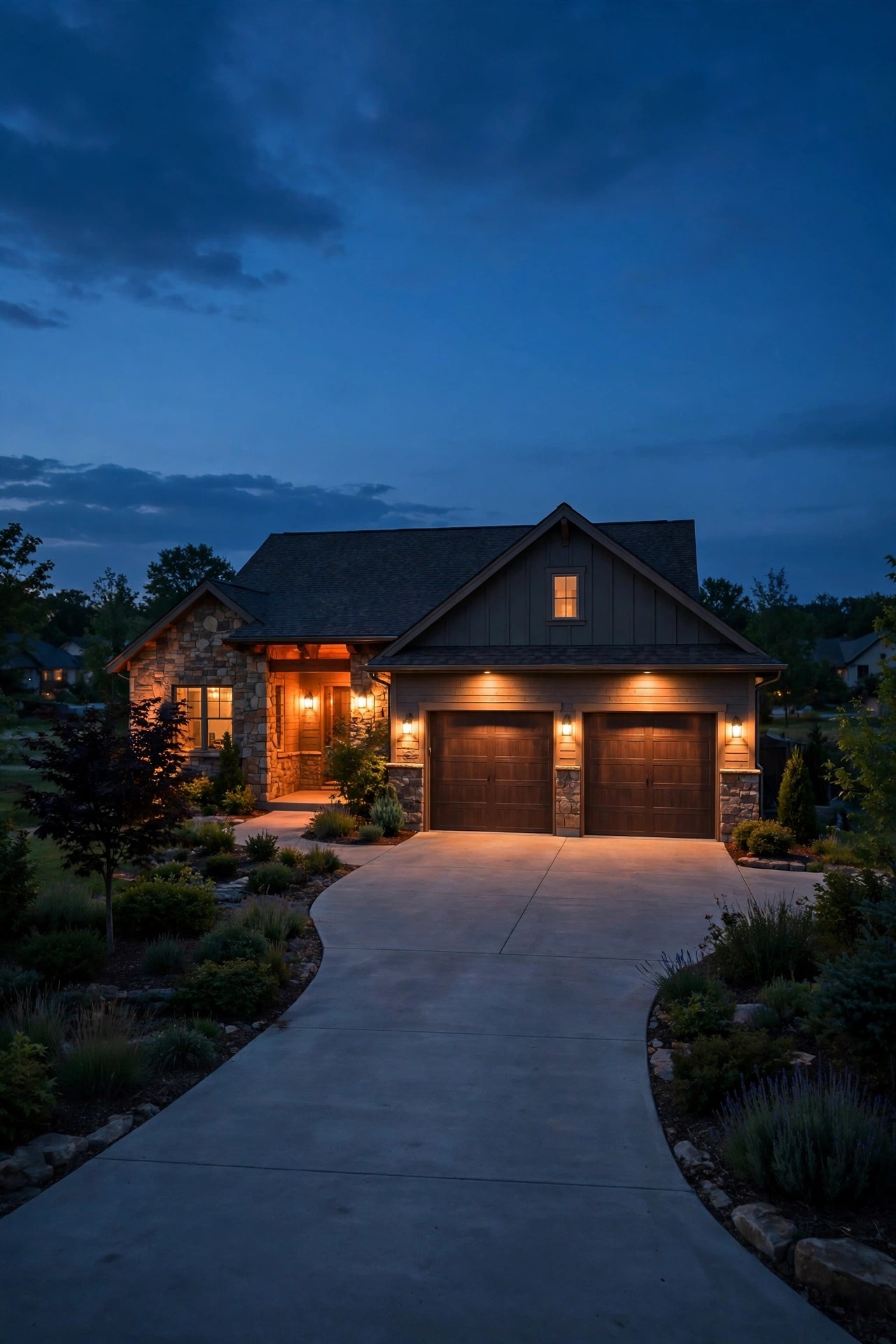
Your video doorbell already watches the front door; teach it to call the driveway lights and a quiet house becomes a coordinated one. Most lighting apps and doorbell apps can share a simple trigger: when the doorbell detects a person, the porch light rises, the apron scene comes up, and the lane lights brighten for five minutes. For package deliveries after dark, that means the driver gets a lit, obvious path and you get a well-lit clip instead of a shadowy figure at the edge of the frame. It works beautifully for expected guests too — the house visibly wakes up as they walk in from the street, which feels like a welcome because it is one. Keep the pairing one-directional and simple: doorbell motion can raise lights, but driveway motion should not record or chime the doorbell, or every arrival becomes a doorbell event nobody answers. Aim the doorbell and the apron lights so their coverage overlaps at the walk from car to door; that overlap is where people actually are, and it is the stretch that should never be dark.
Suggested budget range: $50 – $250.
10. Swap the Garage Coach Lights for Smart Color Bulbs
The pair of coach lights flanking the garage door is the face of your driveway, and smart bulbs turn that face into a communicator. Day to day, run them at a proper warm 2700K, dimmed to about 60 percent so the facade looks composed instead of interrogated. For holidays, the same bulbs shift to a tasteful color — deep amber for fall, warm red and green for December — with no ladder, no gels, and no second set of bulbs in a garage drawer. There is a practical trick here too: tie a color change to your alert settings, so the coach lights pulse a soft amber twice when the driveway sensor trips after midnight. You see the notification from a bedroom window without a single screen lighting up. Buy bulbs rated for enclosed fixtures if your coach lights are closed lanterns, because smart bulbs cook themselves in sealed housings without that rating. Keep both bulbs the same model and firmware, or the pair will drift in color and dimming curve, which the eye notices instantly on a symmetrical facade.
Suggested budget range: $40 – $150.

11. Uplight Entrance Trees and Pillars on Their Own Smart Zone
The entrance is your home's handshake with the street, and it deserves drama the lane lights cannot provide. A single well light tucked in the mulch, aimed up through the canopy of a street-side tree, turns an ordinary maple into the landmark guests steer by. Stone or brick pillars flanking the drive take a narrow-beam spotlight beautifully — the light grazes the texture and the pillars read as architecture instead of fence posts. Put this accent layer on its own smart zone, separate from the guidance lights, because its job and hours are different: it performs from sunset to about midnight, then bows out so the street goes properly dark and the tree gets its rest. Dimming control counts here more than anywhere; an uplight at 70 percent looks designed, while the same fixture at full blast looks like a searchlight. Keep fixtures a foot or two off the trunk or pillar face so the beam spreads before it lands, and check the aim after storms and mulch refreshes. This zone is pure curb appeal, and on a smart schedule it is also pure ease.
Suggested budget range: $120 – $450.

12. Fill Wiring Gaps With Solar Smart Stakes
Every driveway has one stretch where trenching cable feels ridiculous — across a root-tangled verge, along a rental's gravel lane, or down a long rural entry where the transformer math stops working. Solar smart stakes fill those gaps: each fixture carries its own panel and battery, pairs to your app by wireless signal, and joins the same scenes as your wired zones. Set expectations honestly. A good solar stake gives a warm decorative pool, not work light, and midwinter runtime shrinks with the short days; place them for guidance accents, not as the only light on a step or a curve. Panel placement makes or breaks them — face the panel south, keep it clear of overhanging branches, and wipe it when you walk the dog past. In the app, solar fixtures accept schedules and grouping but not always dimming, so design your scenes around on and off for those pieces. Where they shine is flexibility: pop them in for a party weekend, move them when the landscaping changes, and skip the permit questions entirely.
Suggested budget range: $60 – $250.

13. Group Lights Into Zones That Fire in Sequence
Sequencing is the difference between a driveway that lights up and a driveway that performs. Instead of one command switching on twenty fixtures at once, group your lights into named zones — Entrance, Lane, Apron, Door — and let routines trigger them a few seconds apart in the order a car actually travels. When the sensor at the street trips, the entrance zone answers first, the lane follows as the car rolls in, and the apron and door lights rise just as the driver reaches them. That rolling wave reads as intentional and a little luxurious, and it is gentler on the eyes than a single full blast. Name zones exactly what they are in the app, in plain words someone else in the household will understand at midnight. This is also where smart grouping saves money: zones let you dim or rest whole stretches on quiet nights while keeping the apron guarded. Build the groups before you build fancy scenes, because every scene, schedule, and alert in this post is really just zones firing in a chosen order at a chosen brightness.
Suggested budget range: $0 – $100.

14. Make Alerts Visible With a Brightness Change
Phone notifications fail in predictable ways: the phone is in another room, on silent, or face down in a cup holder. A light-based alert covers those gaps. Program one restrained visual signal into your system — when the driveway sensor trips after dark, the coach lights rise to full brightness for sixty seconds, or the porch light lifts from dim to bright and back once. From a front window or a kitchen sink, that change registers instantly: someone is here. It is a genuine accessibility win for households where a doorbell chime or phone buzz is easy to miss, and guests benefit too, because the brightening tells them the house noticed. Restraint is everything. One smooth rise reads as a signal; flashing and strobing reads as an alarm, annoys the street, and will have you disabling the feature within a week. Keep the signal on fixtures that face your own windows and pavement rather than the road. Pair it with the phone alert rather than replacing it — the light tells you now, the phone tells you what the camera saw.
Suggested budget range: $0 – $80.
15. Add Voice Control for Hands-Full Arrivals
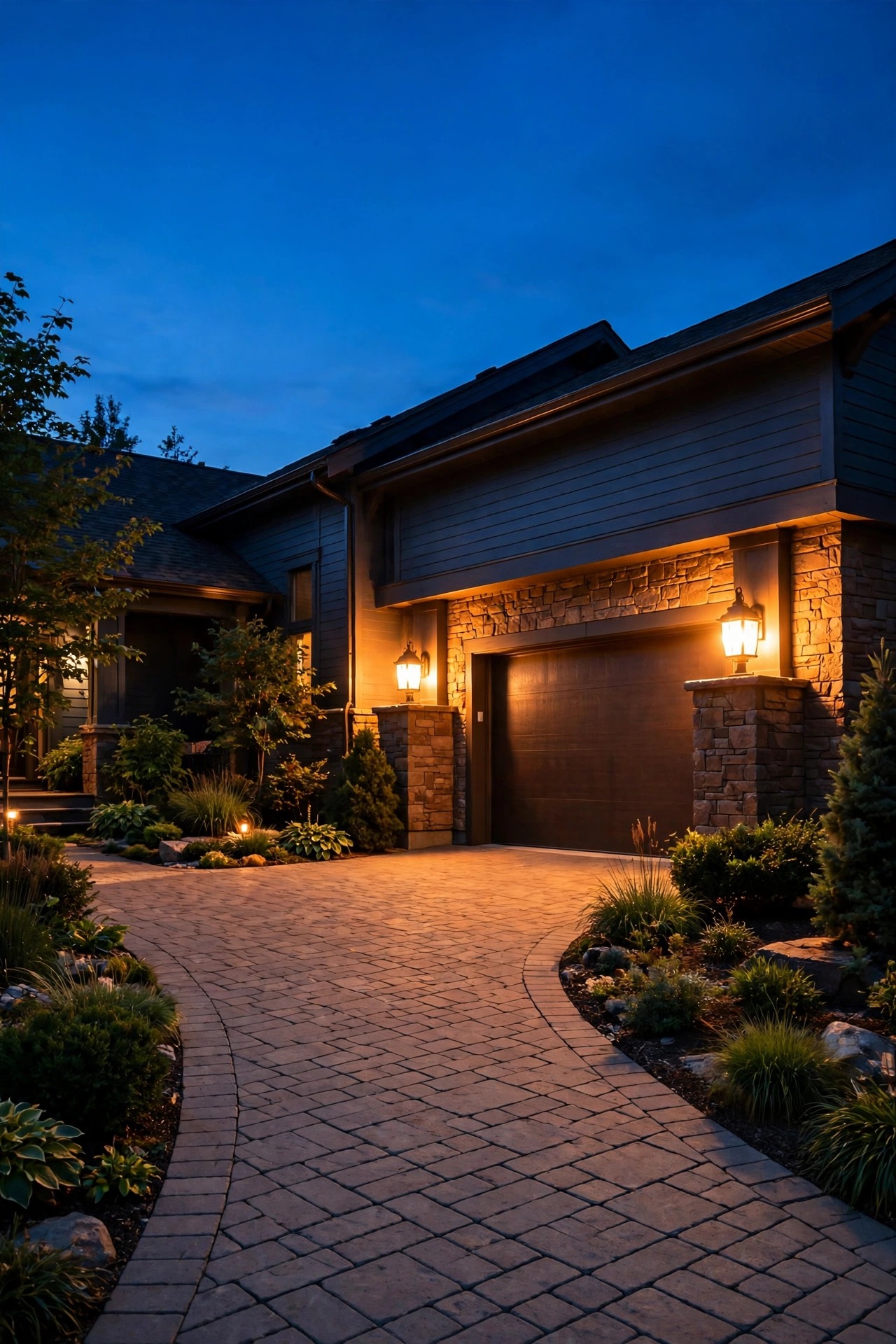
Voice control sounds like a party trick until you are standing at the garage with a sleeping child, two grocery bags, and a dark apron. A short command to your smart speaker or phone assistant — the name of a scene is all it takes — brings up the arrival lighting, and the same command family handles goodnight, guests, and storm checks from the porch. Build three or four scenes with names that are easy to say and impossible to confuse, and avoid cute names you will forget by February. One security note I take seriously: keep voice commands for lights only. Do not put the garage door or locks on an unlocked voice command that a shout through a window could trigger; lighting is the safe, convenient layer to automate by voice. If your household shares one assistant account, test the commands with every voice that will use them, including smaller ones. Done right, voice is the layer guests can use too — nobody needs your app password to ask the driveway to light up for their walk to the car.
Suggested budget range: $30 – $130.

16. Program an Away Mode That Looks Lived-In
A driveway that goes dark for ten straight days advertises an empty house; a driveway on a perfect metronome schedule advertises a timer. Away mode splits the difference. Set your scenes to vary: entrance lights on at sunset, lane lights joining twenty minutes later some nights and at dusk on others, everything settling to the guard level at a slightly different hour each evening. Most lighting apps offer a randomize or vacation setting that does this arithmetic for you — use it, and resist adding extra cleverness on top. Keep the sensor alerts live while you travel, and route them to your phone wherever you are; a driveway alert at home while you are three states away is exactly the notification worth receiving, especially paired with the camera floodlight view. Ask a neighbor to clear flyers and packages so the lit driveway matches a lived-in story. When you return, one tap restores the everyday routine. In my experience this is the highest-value free feature in the whole smart system: it costs nothing beyond the gear you already own, and it quietly works every single night you are gone.
Suggested budget range: $0 – $60.

17. Save Three Scenes: Everyday, Guests, and Late Night
Scenes are where a smart driveway stops being a gadget and starts matching your actual life. I keep exactly three. Everyday runs the calm baseline: entrance and lane at their dim evening levels, apron floods armed for motion, coach lights at 60 percent. Guests is the full welcome — everything up a notch, the entrance uplights on, the lane at full guidance brightness, and the door light bright before the doorbell rings; I fire it when I see headlights or when friends text that they are close. Late Night is the whisper: lane and entrance off, one low amber level at the apron and door, floods still armed so a real arrival gets light but the street stays dark and the bedroom windows stay restful. Three scenes cover 99 percent of evenings, and a short list means everyone in the house remembers which is which. Resist the urge to build a scene per holiday and per mood; color changes can ride on the Guests scene without multiplying your choices. One tap per evening is the design goal — anything more becomes a chore you stop doing.
Suggested budget range: $0 – $50.
18. Light the Walk From Car to Door With Apron Markers
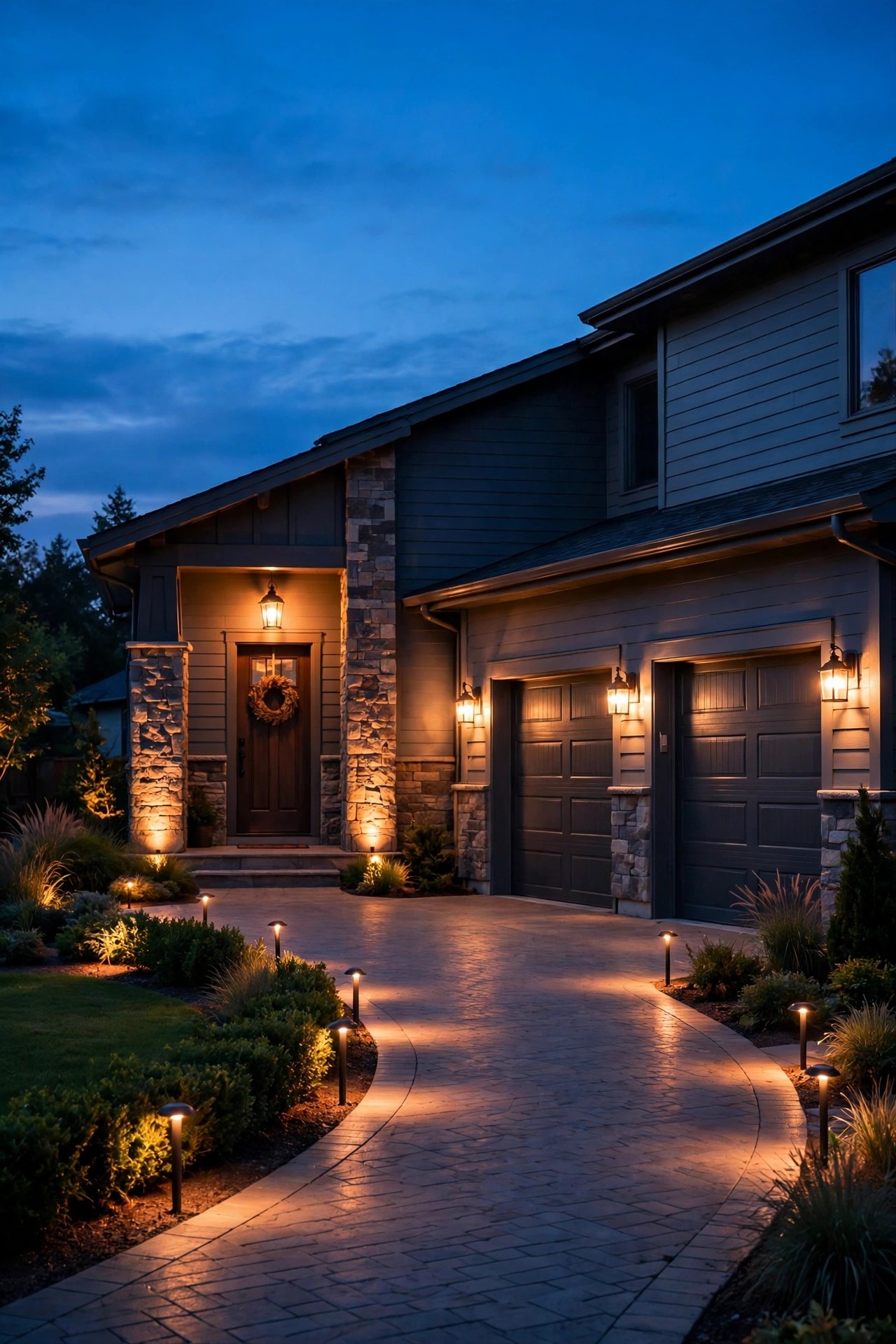
The most dangerous ten feet of any driveway are the last ones: the walk from a parked car to the door, often across the apron's edge, a step, or a garden border, carrying bags and watching the door instead of the ground. Flush apron markers solve it elegantly. Set small in-ground marker lights along the walking line where tires never go — they sit level with the pavement, shrug off weather, and draw a dotted path from parking spot to doorstep. Low step lights on the stoop riser finish the route. Tie both into the arrival routine and the door zone, so the walking light comes up with the rest of the welcome and stays on for a full ten minutes; people unload cars in trips, and a light that quits mid-carry teaches everyone to hurry in the dark. Choose markers with shielded, downward optics so the source never shines in a driver's eyes at apron level. On icy mornings this little line of light earns its keep double, outlining the exact edge where pavement meets grass under frost. It is a small layer that makes the whole system feel finished.
Suggested budget range: $80 – $300.

19. Finish With a Dusk Test of Your Smart Driveway Lighting Ideas
When the gear is in, resist judging it from the porch. The real test of your smart driveway lighting ideas happens from the street, at dusk, at the speed of an arriving car. Drive the approach slowly and watch the sequence: does the entrance answer first, does the lane rise before you need it, does the apron reach full welcome as you roll to a stop? Then walk the route to the door carrying something awkward, the way every guest and grocery run actually goes, and note any dark gap between light pools. Check the alert settings the same evening: have someone roll in while you watch your phone, and confirm the notification arrives once, promptly, and not again for the same car. Stand across the street and squint at the house like a neighbor — any bare source glaring at eye level gets a shield, an angle change, or a dimmer notch. I repeat this test twice a year, when the clocks change, because foliage grows, aims drift, and schedules wander. Ten minutes of testing keeps a clever system feeling like hospitality instead of technology.
Suggested budget range: $0 – $50.
Frequently Asked Questions
What color temperature is best for driveway lighting?
Warm white, 2700K to 3000K, is the sweet spot for almost every home. It flatters brick, stone, and landscaping, keeps skin tones natural when people step into the light, and matches the glow of porch and coach fixtures so the whole front of the house reads as one composition. Cooler 4000K and above reads as commercial and security-grade, which is the opposite of a welcome. Whatever you choose, keep it identical across every zone — a warm lane with icy floodlights looks like two systems fighting.
Will smart driveway lights still work if the Wi-Fi goes down?
Mostly, yes. Schedules stored on a smart transformer or hub keep running, motion floods still fire on their own sensors, and manual switches always work. What you lose during an outage is the remote layer: phone alerts, app changes, and voice control through a cloud-connected speaker. If alerts are a priority for you, choose a driveway sensor with a local receiver and chime as well as app notifications, so the house itself still announces arrivals when the internet does not.
How much does a full smart driveway setup cost altogether?
A complete three-zone system — sensor, smart transformer and edge lights, motion floods, coach light bulbs, and a camera floodlight — typically lands between $700 and $2,200 in gear, plus installation if you hire the hardwired pieces out. The good news is that it phases beautifully: start with the floodlights and one sensor for a few hundred dollars, add the lane zone next season, and let the scenes and automations — which are free — tie each new layer in as it arrives.
How do I stop alerts for every passing car and cat?
Use the right sensor for the job. A buried vehicle probe responds to large metal masses moving beside the drive and ignores animals, leaves, and foot traffic entirely. For motion floods and cameras, draw the detection zone over your own pavement only, lower sensitivity a notch at a time, and angle the sensor away from the street so passing cars never enter its view. A day of patient tuning at setup saves a year of ignored notifications.
Conclusion
A smart driveway is not really about gadgets; it is about arriving home to a house that noticed you coming. Start with the layers — guidance along the lane, welcome at the apron, a little theater at the entrance — then let smart driveway lighting ideas run them: a sensor that alerts you, schedules that follow the sun, scenes for guests and late nights, and a dusk test to tune it all. Build it one zone at a time and it never feels like a project, just a home that keeps getting better at saying hello. For more ways to put your whole exterior on autopilot, browse my smart outdoor lighting guide — the backyard deserves the same welcome.